
agie
Lid-
Items
975 -
Registratiedatum
-
Laatst bezocht
Inhoudstype
Profielen
Forums
Store
Alles dat geplaatst werd door agie
-
Bedankt weer voor je hulp . [ATTACH]36688[/ATTACH] log.txt
-
Hier zijn we weer.......mijn laptop is weer traag geworden? Ik vraag me af of andere ook dit probleem zo vaak hebben? In ieder geval werkt het zoeken op internet en het wisselen van pagina's en openen van bestanden weer langzaam. Ik heb wel laats van de INGbank het programma Trusteerrapport geïnstalleerd en heb het idee dat sindsdien het probleem zich voordoet, maar in het verleden gaf het geen probleem ,dus.....?
-
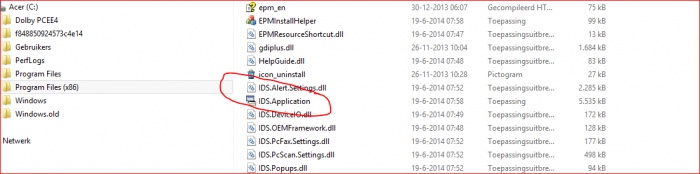
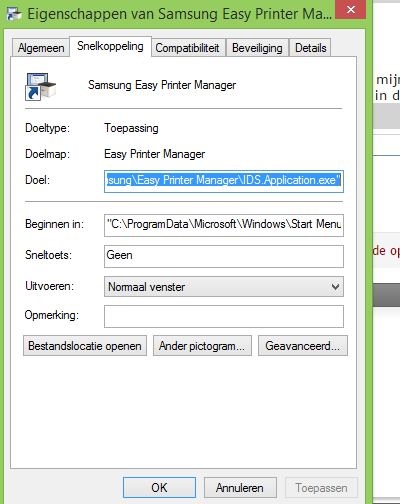
Pffff....... Gelukt .......! Programma staat bij mij niet in de lijst , maar door in het zoekvak 'printer' in te typen en de bestandslocatie te openen kwam ik de 'easy printer manager'' map automatisch bij de Aplicatie terecht en geopend en de snelkoppeling gevonden .....!!1 :congrats:Bedankt voor je oneindig geduld om me hierbij te helpen, jullie hulp is GOUD waard. In ieder geval kan ik nu weer scannen/afdrukken.
-
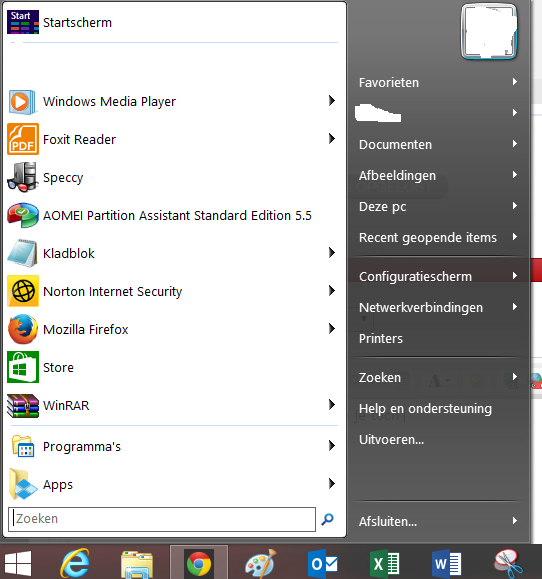
Sorry....maar programma's staat niet in de lijst vermeld bij mijn start menu knop , ik gebruik de 'oude startmenu knop' ......... Helaas kan ik geen afbeelding hiervan maken , maar zoek ik in de lijst en klik ik Samsung aan dan krijg ik alleen de het volgende te zien . Open ik windows verkenner en open ik de mappen dan krijg ik te zien wat in bericht 9 staat........verder weet ik niet wat te doen!
-
Ook bij programma's krijg ik dezelfde info op het scherm te zien zoals in bericht 9.
-
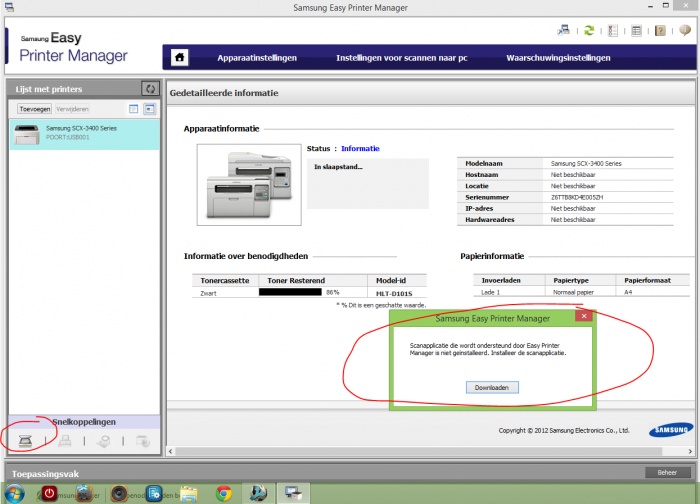
Als ik met de rechtermuis op Samsungprinter klik , krijg ik het algemene keuzemenu te zien: openen- kopiëren .verwijderen enz. Wel krijg ik als ik de PrtSc-knop druk de vertrouwde applicatie te zien en ook als ik via de startpagina van windows 8.1 aanklik 9 (ik werk nog met het oude startmenuknop) maar daarna krijg ik toch de melding dat ik een scanapplicatie moet downloaden en kom dan weer terug op de pagina zoals te zien in bericht 21.
-
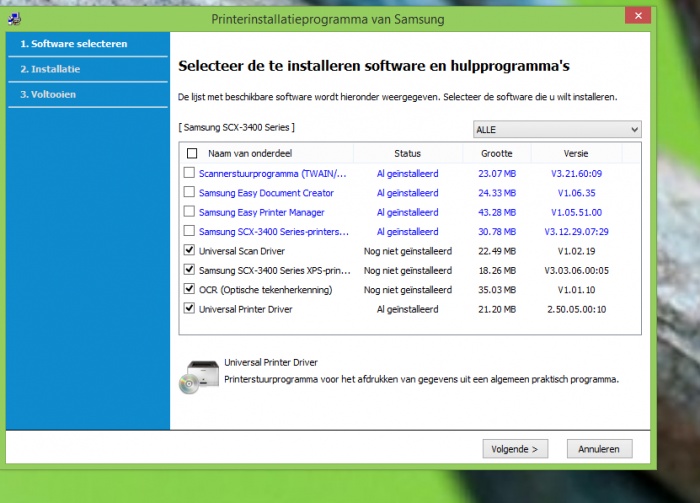
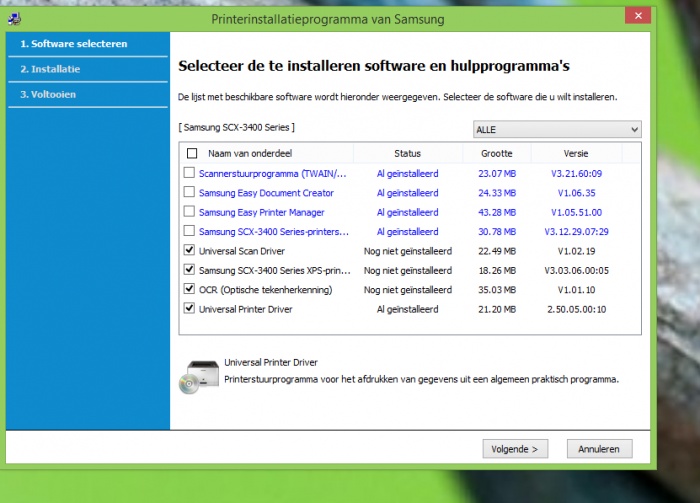
De installatie CD heb ik nog een keer geprobeerd nadat ik de link had geprobeerd en na installatie geen resultaat had. Dus niet beide tegelijk. maar ik kan me voorstellen dat dit verwarring brengt , sorry hiervoor! Dus samengevat..... de printer en scanner werken maar ik heb nog steeds niet het icoon/ snelkoppeling voor het instellen van de scanner. Onderstaande software die ik heb geïnstalleerd.
-
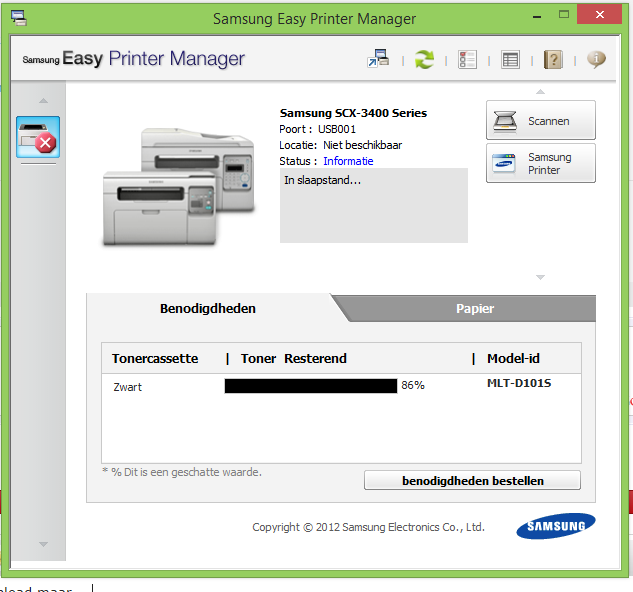
Nee, deze afbeelding kwam nadat ik opnieuw de installatie CD had geïnstalleerd. De scanner werkt wel. - - - Updated - - - Bedoel je met het tweede venster deze afbeelding? deze afbeelding kwam nadat ik opnieuw de installatie CD had geïnstalleerd.
-
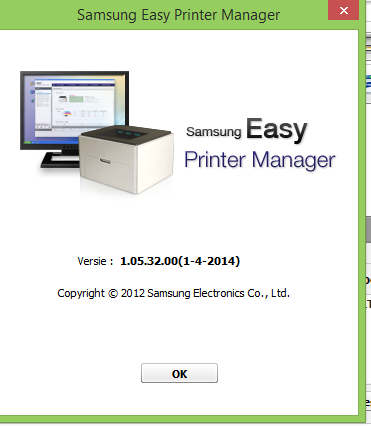
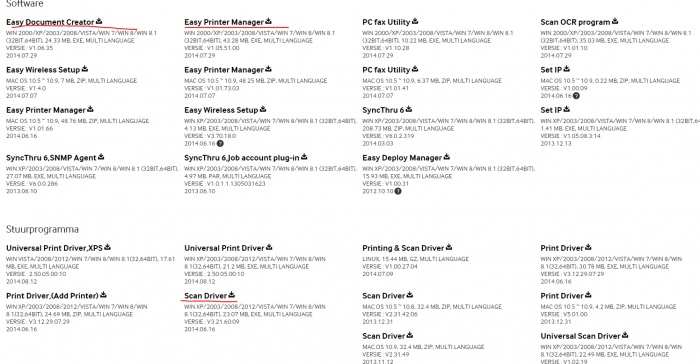
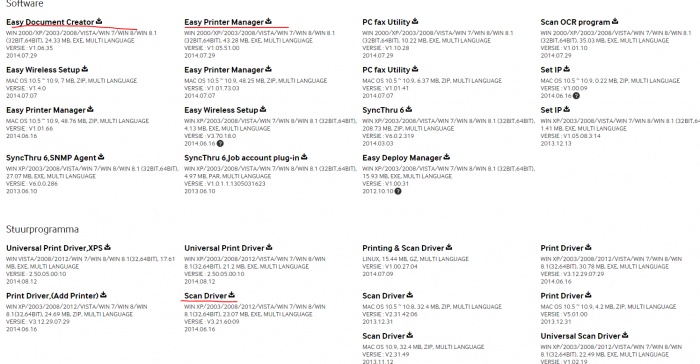
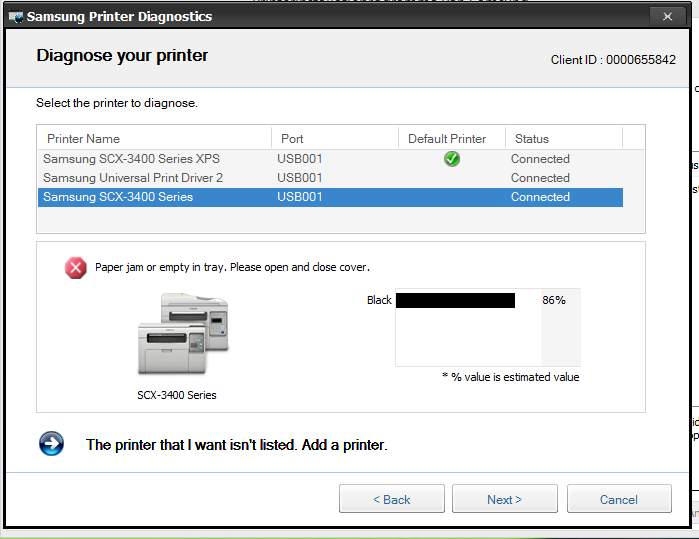
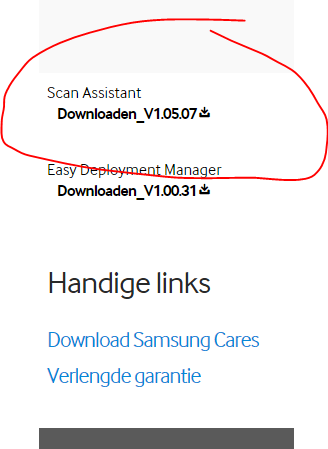
De printer drukt af en ik werk via een usb-kabel. De installatie CD is van 2012 en geeft verder geen info over windows e.d, maar voordat ik fabrieksherstel heb toegepast was de printer via de CD gewoon geïnstalleerd met de icoon . Opnieuw alles verwijder en geïnstalleerd maar helaas geen icoon te zien. Onderstaande afbeelding laten zien wat ik precies heb gedownload - ik hoop de goede want voor mij was het een gok of ik de juiste download heb gekozen. Daarna gaf een diagnostisch hulpprogramma aan dat er nog het een en ander download's nodig waren maar............helaas!
-
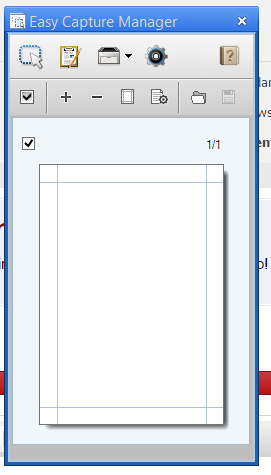
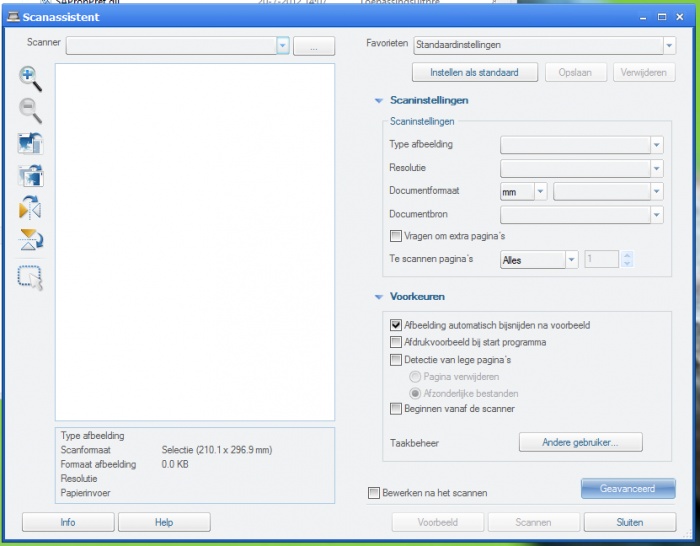
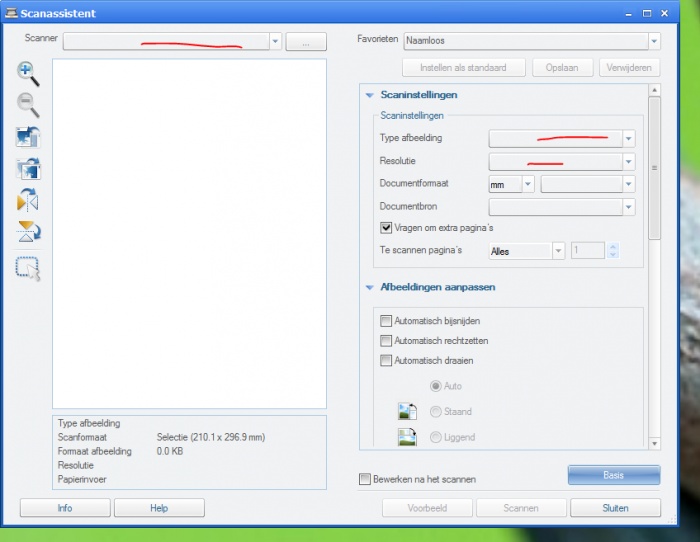
Beide gedownload en bij "meer weergeven' nog de :"scanassistent"gedownload maar dat geeft geen resultaat . Wanneer ik op iets aanklik geeft dit een 'leeg venster".- zie afbeeldingen. Deze lijkt trouwens niet op mijn voorgaande scan/afdruk - icoon!
-
-
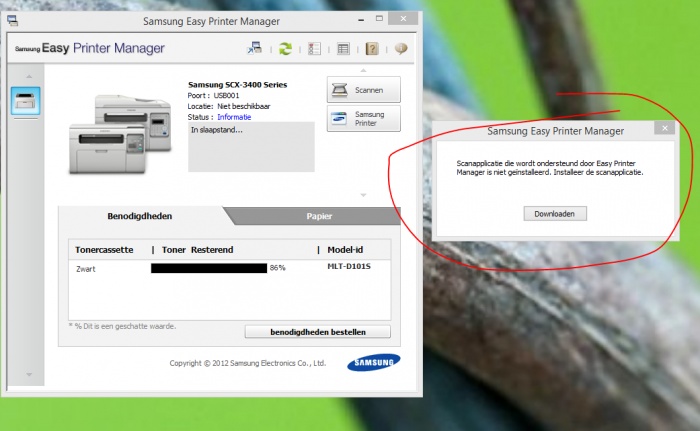
Alles verwijderd en opnieuw de software via de link gedownload maar....ik krijg toch onderstaande melding dat ik de scan/afdruk applicatie moet downloaden en die verwijst me weer naar de link uit bericht 4.
-
Ik begrijp niet goed wat je bedoelt met ': Installeer dan de software opnieuw via de link uit bericht 4.' zoals ik in bericht 5 aangaf zie ik mijn printer niet erbij staan . Dus wat moet ik downloaden?
-
De mappen bij het start menu openen zich niet dus heb ik het op deze manier gedaan . Het zijn er nogal wat , maar hier volgen ze : Laatste mappen zijn niet van belang denk ik , maar mocht dit anders zijn dan hoor ik dit van je.
-
Oké..... dat heb ik al wat geprobeerd maar ik weet niet tussen al die mappen wat ik precies moet aanklikken!
-
-
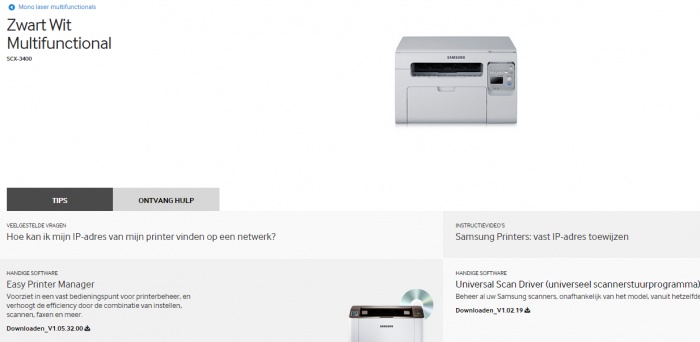
Oké....het is een SCX - 3400 Samsung laserprinter.
-
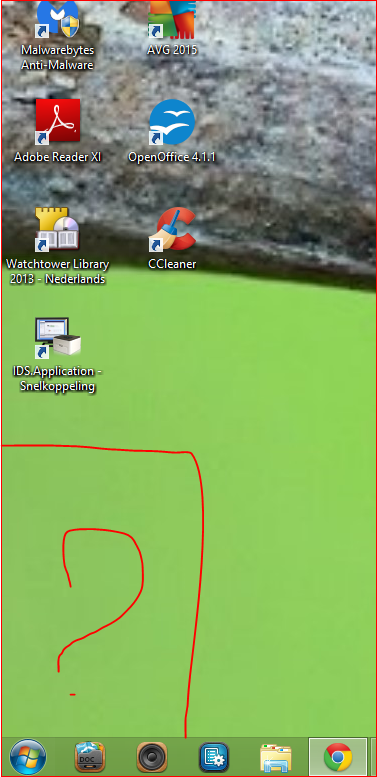
Opnieuw mijn printer met een CD geïnstalleerd maar ik mis het icoon wat ik in het verleden had om te scannen en voor documenten. Normaal wordt er automatisch een icoon op het bureaublad geplaatst maar nu niet. Ik weet dat het is simpel maar ik kom er niet zo snel uit, graag weer wat hulp a.u.b?
-
Nog een poging gedaan en de upgrade naar Windows 8.1 uiteindelijk gelukt ! Probleem daardoor gelukkig opgelost.
-
Hallo allemaal. Recent heb ik een fabrieksherstel moeten doen op mijn laptop maar ik bemerk dat ik veel van de apps die te maken hebben met de zoekfunctie-apparaten -en instellingen kwijt ben. Tijdelijk heb ik nu ClassicShell startmenu toegevoegd om mee te werken maar zou natuurlijk graag de normale instelling terug willen. Volgens een melding die ik krijg van microsoft heb ik nog de oudere windows 8 op de laptop maar de gratis update werkt niet . Ook mijn printer zie ik niet terug op de pc terwijl ik wel kan printen . Zo....weet iemand hoe ik dit weer in orde krijg?
-
Inderdaad is dit achteraf niet zo geweldig idee......maar achteraf en al doende leert men!
-
Het document is met Apache OpenOffice gemaakt.
-
Heel duidelijk, dank je wel!
-
Bij windows 8 is mijn laptop vergrendeld met een wachtwoord. Graag zou ik deze beginstelling wijzigen zodat ik zonder wachtwoord in mijn pc kan. Is dit mogelijk?
-
verwijder bedreiging maar blijft terugkomen
agie reageerde op agie's topic in Archief Bestrijding malware & virussen
OTL logfile created on: 4-10-2014 21:58:56 - Run 1 OTL by OldTimer - Version 3.2.69.0 Folder = C:\Users\hfm\Downloads 64bit- An unknown product (Version = 6.2.9200) - Type = NTWorkstation Internet Explorer (Version = 9.10.9200.16433) Locale: 00000413 | Country: Nederland | Language: NLD | Date Format: d-M-yyyy 3,82 Gb Total Physical Memory | 2,09 Gb Available Physical Memory | 54,62% Memory free 7,32 Gb Paging File | 5,46 Gb Available in Paging File | 74,56% Paging File free Paging file location(s): ?:\pagefile.sys [binary data] %SystemDrive% = C: | %SystemRoot% = C:\WINDOWS | %ProgramFiles% = C:\Program Files (x86) Drive C: | 443,51 Gb Total Space | 401,72 Gb Free Space | 90,58% Space Free | Partition Type: NTFS Computer Name: RIEKIE | User Name: hfm | Logged in as Administrator. Boot Mode: Normal | Scan Mode: All users | Include 64bit Scans Company Name Whitelist: Off | Skip Microsoft Files: Off | No Company Name Whitelist: On | File Age = 30 Days ========== Processes (SafeList) ========== PRC - [2014-10-04 21:57:12 | 000,602,112 | ---- | M] (OldTimer Tools) -- C:\Users\hfm\Downloads\OTL.com PRC - [2014-09-05 16:34:22 | 003,364,368 | ---- | M] (AVG Technologies CZ, s.r.o.) -- C:\Program Files (x86)\AVG\AVG2015\avgidsagent.exe PRC - [2014-09-05 16:29:52 | 003,593,744 | ---- | M] (AVG Technologies CZ, s.r.o.) -- C:\Program Files (x86)\AVG\AVG2015\avgui.exe PRC - [2014-09-05 16:23:18 | 000,293,448 | ---- | M] (AVG Technologies CZ, s.r.o.) -- C:\Program Files (x86)\AVG\AVG2015\avgwdsvc.exe PRC - [2012-12-10 10:39:12 | 000,475,984 | ---- | M] (Dritek System Inc.) -- C:\Program Files (x86)\Launch Manager\LMutilps32.exe PRC - [2012-12-10 10:39:09 | 000,350,544 | ---- | M] (Dritek System Inc.) -- C:\Program Files (x86)\Launch Manager\dsiwmis.exe PRC - [2012-12-10 10:39:08 | 001,192,784 | ---- | M] (Dritek System Inc.) -- C:\Program Files (x86)\Launch Manager\LManager.exe PRC - [2012-11-03 02:36:52 | 000,259,136 | ---- | M] (NTI Corporation) -- C:\Program Files (x86)\NTI\Acer Backup Manager\IScheduleSvc.exe PRC - [2012-11-03 02:36:24 | 000,624,192 | ---- | M] (NTI Corporation) -- C:\Program Files (x86)\NTI\Acer Backup Manager\BackupManagerTray.exe PRC - [2012-10-26 06:39:50 | 002,449,552 | ---- | M] (Acer Incorporated) -- C:\Program Files (x86)\Acer\Acer Cloud\CCDMonitorService.exe PRC - [2012-09-20 02:07:44 | 000,995,856 | ---- | M] (CyberLink) -- C:\Program Files (x86)\CyberLink\MediaEspresso\DeviceDetector\DeviceDetector.exe PRC - [2012-08-23 01:04:22 | 000,025,232 | ---- | M] () -- C:\Program Files\Acer\Acer Instant Service\InstantUpdate\iuEmailOutlookAgent.exe PRC - [2012-08-23 01:04:20 | 000,044,176 | ---- | M] () -- C:\Program Files\Acer\Acer Instant Service\InstantUpdate\iuBrowserIEAgent.exe PRC - [2012-07-17 11:10:32 | 000,364,416 | ---- | M] (Intel Corporation) -- C:\Program Files (x86)\Intel\Intel® Management Engine Components\UNS\UNS.exe PRC - [2012-07-17 11:10:30 | 000,276,864 | ---- | M] (Intel Corporation) -- C:\Program Files (x86)\Intel\Intel® Management Engine Components\LMS\LMS.exe PRC - [2012-07-17 11:10:16 | 000,165,760 | ---- | M] (Intel Corporation) -- C:\Program Files (x86)\Intel\Intel® Management Engine Components\DAL\Jhi_service.exe ========== Modules (No Company Name) ========== MOD - [2012-11-03 02:38:02 | 000,465,384 | ---- | M] () -- C:\Program Files (x86)\NTI\Acer Backup Manager\sqlite3.dll MOD - [2012-08-23 01:04:22 | 000,025,232 | ---- | M] () -- C:\Program Files\Acer\Acer Instant Service\InstantUpdate\iuEmailOutlookAgent.exe MOD - [2012-08-23 01:04:20 | 000,044,176 | ---- | M] () -- C:\Program Files\Acer\Acer Instant Service\InstantUpdate\iuBrowserIEAgent.exe ========== Services (SafeList) ========== SRV:64bit: - File not found [Disabled | Stopped] -- C:\Program Files\Common Files\McAfee\SystemCore\\mfefire.exe -- (mfefire) SRV:64bit: - File not found [Disabled | Stopped] -- C:\Program Files\Common Files\McAfee\SystemCore\\mcshield.exe -- (McShield) SRV:64bit: - [2012-11-17 00:07:20 | 000,469,648 | ---- | M] (Acer Incorporated) [On_Demand | Running] -- C:\Program Files\Acer\Acer Device Fast-lane\DeviceFastLaneSvc.exe -- (DeviceFastLaneService) SRV:64bit: - [2012-10-29 05:20:49 | 000,169,472 | ---- | M] (Microsoft Corporation) [Auto | Running] -- C:\Windows\SysNative\AudioEndpointBuilder.dll -- (AudioEndpointBuilder) SRV:64bit: - [2012-10-23 20:26:26 | 000,658,064 | ---- | M] (Acer Incorporated) [On_Demand | Running] -- C:\Program Files\Acer\Acer Power Management\ePowerSvc.exe -- (ePowerSvc) SRV:64bit: - [2012-09-20 11:10:47 | 002,367,528 | ---- | M] (Microsoft Corporation) [On_Demand | Stopped] -- C:\Windows\SysNative\WSService.dll -- (WSService) SRV:64bit: - [2012-09-20 10:18:03 | 002,675,712 | ---- | M] (Microsoft Corporation) [On_Demand | Stopped] -- C:\Windows\SysNative\spool\drivers\x64\3\PrintConfig.dll -- (PrintNotify) SRV:64bit: - [2012-09-20 08:32:59 | 000,169,984 | ---- | M] (Microsoft Corporation) [On_Demand | Running] -- C:\Windows\SysNative\TimeBrokerServer.dll -- (TimeBroker) SRV:64bit: - [2012-09-20 08:32:58 | 000,178,176 | ---- | M] (Microsoft Corporation) [On_Demand | Running] -- C:\Windows\SysNative\SystemEventsBrokerServer.dll -- (SystemEventsBroker) SRV:64bit: - [2012-09-20 08:31:18 | 000,116,736 | ---- | M] (Microsoft Corporation) [On_Demand | Stopped] -- C:\Windows\SysNative\fhsvc.dll -- (fhsvc) SRV:64bit: - [2012-09-20 08:30:41 | 000,179,712 | ---- | M] (Microsoft Corporation) [Auto | Running] -- C:\Windows\SysNative\bisrv.dll -- (BrokerInfrastructure) SRV:64bit: - [2012-07-26 05:17:59 | 000,015,440 | ---- | M] (Microsoft Corporation) [Auto | Stopped] -- C:\Program Files\Windows Defender\MsMpEng.exe -- (WinDefend) SRV:64bit: - [2012-07-26 05:08:04 | 001,968,128 | ---- | M] (Microsoft Corporation) [On_Demand | Running] -- C:\Windows\SysNative\wlidsvc.dll -- (wlidsvc) SRV:64bit: - [2012-07-26 05:07:47 | 000,065,536 | ---- | M] (Microsoft Corporation) [On_Demand | Stopped] -- C:\Windows\SysNative\wiarpc.dll -- (WiaRpc) SRV:64bit: - [2012-07-26 05:07:42 | 000,263,680 | ---- | M] (Microsoft Corporation) [Auto | Running] -- C:\Windows\SysNative\wcmsvc.dll -- (Wcmsvc) SRV:64bit: - [2012-07-26 05:07:40 | 000,283,648 | ---- | M] (Microsoft Corporation) [On_Demand | Running] -- C:\Windows\SysNative\vaultsvc.dll -- (VaultSvc) SRV:64bit: - [2012-07-26 05:07:25 | 000,012,800 | ---- | M] (Microsoft Corporation) [On_Demand | Stopped] -- C:\Windows\SysNative\svsvc.dll -- (svsvc) SRV:64bit: - [2012-07-26 05:06:36 | 000,463,872 | ---- | M] (Microsoft Corporation) [On_Demand | Running] -- C:\Windows\SysNative\netprofmsvc.dll -- (netprofm) SRV:64bit: - [2012-07-26 05:06:34 | 000,743,936 | ---- | M] (Microsoft Corporation) [On_Demand | Stopped] -- C:\Windows\SysNative\netlogon.dll -- (Netlogon) SRV:64bit: - [2012-07-26 05:06:33 | 000,161,792 | ---- | M] (Microsoft Corporation) [On_Demand | Stopped] -- C:\Windows\SysNative\NcaSvc.dll -- (NcaSvc) SRV:64bit: - [2012-07-26 05:06:33 | 000,073,728 | ---- | M] (Microsoft Corporation) [On_Demand | Stopped] -- C:\Windows\SysNative\NcdAutoSetup.dll -- (NcdAutoSetup) SRV:64bit: - [2012-07-26 05:06:00 | 000,438,272 | ---- | M] (Microsoft Corporation) [Auto | Running] -- C:\Windows\SysNative\lsm.dll -- (LSM) SRV:64bit: - [2012-07-26 05:05:55 | 000,059,904 | ---- | M] (Microsoft Corporation) [On_Demand | Stopped] -- C:\Windows\SysNative\keyiso.dll -- (KeyIso) SRV:64bit: - [2012-07-26 05:05:34 | 000,037,376 | ---- | M] (Microsoft Corporation) [On_Demand | Stopped] -- C:\Windows\SysNative\efssvc.dll -- (EFS) SRV:64bit: - [2012-07-26 05:05:28 | 000,207,872 | ---- | M] (Microsoft Corporation) [On_Demand | Stopped] -- C:\Windows\SysNative\DeviceSetupManager.dll -- (DsmSvc) SRV:64bit: - [2012-07-26 05:05:24 | 000,342,016 | ---- | M] (Microsoft Corporation) [On_Demand | Stopped] -- C:\Windows\SysNative\das.dll -- (DeviceAssociationService) SRV:64bit: - [2012-07-26 05:05:08 | 000,122,368 | ---- | M] (Microsoft Corporation) [On_Demand | Stopped] -- C:\Windows\SysNative\AUInstallAgent.dll -- (AllUserInstallAgent) SRV:64bit: - [2012-07-26 02:24:02 | 000,336,384 | ---- | M] (Microsoft Corporation) [On_Demand | Stopped] -- C:\Windows\SysNative\icsvc.dll -- (vmicvss) SRV:64bit: - [2012-07-26 02:24:02 | 000,336,384 | ---- | M] (Microsoft Corporation) [On_Demand | Stopped] -- C:\Windows\SysNative\icsvc.dll -- (vmictimesync) SRV:64bit: - [2012-07-26 02:24:02 | 000,336,384 | ---- | M] (Microsoft Corporation) [On_Demand | Stopped] -- C:\Windows\SysNative\icsvc.dll -- (vmicshutdown) SRV:64bit: - [2012-07-26 02:24:02 | 000,336,384 | ---- | M] (Microsoft Corporation) [On_Demand | Stopped] -- C:\Windows\SysNative\icsvc.dll -- (vmicrdv) SRV:64bit: - [2012-07-26 02:24:02 | 000,336,384 | ---- | M] (Microsoft Corporation) [On_Demand | Stopped] -- C:\Windows\SysNative\icsvc.dll -- (vmickvpexchange) SRV:64bit: - [2012-07-26 02:24:02 | 000,336,384 | ---- | M] (Microsoft Corporation) [On_Demand | Stopped] -- C:\Windows\SysNative\icsvc.dll -- (vmicheartbeat) SRV:64bit: - [2012-04-20 23:16:12 | 000,635,104 | ---- | M] (Intel® Corporation) [Auto | Running] -- C:\Program Files\Intel\iCLS Client\HeciServer.exe -- (Intel® SRV - [2014-09-05 16:34:22 | 003,364,368 | ---- | M] (AVG Technologies CZ, s.r.o.) [Auto | Running] -- C:\Program Files (x86)\AVG\AVG2015\avgidsagent.exe -- (AVGIDSAgent) SRV - [2014-09-05 16:23:18 | 000,293,448 | ---- | M] (AVG Technologies CZ, s.r.o.) [Auto | Running] -- C:\Program Files (x86)\AVG\AVG2015\avgwdsvc.exe -- (avgwd) SRV - [2014-03-13 11:42:00 | 000,836,168 | ---- | M] (McAfee, Inc.) [Auto | Stopped] -- C:\Windows\Temp\0105221412439830mcinst.exe -- (0105221412439830mcinstcleanup) SRV - [2013-03-22 19:30:26 | 000,655,624 | ---- | M] (Acresso Software Inc.) [On_Demand | Stopped] -- C:\Program Files (x86)\Common Files\Macrovision Shared\FLEXnet Publisher\FNPLicensingService.exe -- (FLEXnet Licensing Service) SRV - [2013-03-22 19:04:47 | 000,093,296 | ---- | M] (Dritek System INC.) [Auto | Running] -- C:\Windows\RfBtnSvc64.exe -- (RfButtonDriverService) SRV - [2012-12-10 10:39:09 | 000,350,544 | ---- | M] (Dritek System Inc.) [Auto | Running] -- C:\Program Files (x86)\Launch Manager\dsiwmis.exe -- (DsiWMIService) SRV - [2012-11-10 01:06:26 | 000,231,040 | ---- | M] (Qualcomm Atheros Commnucations) [Auto | Running] -- C:\Program Files (x86)\Qualcomm Atheros\Bluetooth Suite\AdminService.exe -- (AtherosSvc) SRV - [2012-11-03 02:36:52 | 000,259,136 | ---- | M] (NTI Corporation) [Auto | Running] -- C:\Program Files (x86)\NTI\Acer Backup Manager\IScheduleSvc.exe -- (NTI IScheduleSvc) SRV - [2012-10-26 06:39:50 | 002,449,552 | ---- | M] (Acer Incorporated) [Auto | Running] -- C:\Program Files (x86)\Acer\Acer Cloud\CCDMonitorService.exe -- (CCDMonitorService) SRV - [2012-10-23 05:37:58 | 000,277,024 | ---- | M] (Intel Corporation) [On_Demand | Stopped] -- C:\Windows\SysWOW64\IntelCpHeciSvc.exe -- (cphs) SRV - [2012-09-20 10:18:03 | 002,675,712 | ---- | M] (Microsoft Corporation) [On_Demand | Stopped] -- C:\Windows\system32\spool\DRIVERS\x64\3\PrintConfig.dll -- (PrintNotify) SRV - [2012-08-15 20:44:50 | 003,943,104 | ---- | M] (Symantec Corporation) [Auto | Running] -- C:\Program Files (x86)\Symantec\Norton Online Backup\NOBuAgent.exe -- (NOBU) SRV - [2012-07-26 05:20:04 | 000,018,432 | ---- | M] (Microsoft Corporation) [On_Demand | Stopped] -- C:\Windows\SysWOW64\StorSvc.dll -- (StorSvc) SRV - [2012-07-24 12:00:08 | 002,457,232 | ---- | M] (Realsil Microelectronics Inc.) [Auto | Running] -- C:\Program Files (x86)\Realtek\Realtek PCIE Card Reader\RIconMan.exe -- (IconMan_R) SRV - [2012-07-17 11:10:32 | 000,364,416 | ---- | M] (Intel Corporation) [Auto | Running] -- C:\Program Files (x86)\Intel\Intel® Management Engine Components\UNS\UNS.exe -- (UNS) SRV - [2012-07-17 11:10:30 | 000,276,864 | ---- | M] (Intel Corporation) [Auto | Running] -- C:\Program Files (x86)\Intel\Intel® Management Engine Components\LMS\LMS.exe -- (LMS) SRV - [2012-07-17 11:10:16 | 000,165,760 | ---- | M] (Intel Corporation) [Auto | Running] -- C:\Program Files (x86)\Intel\Intel® Management Engine Components\DAL\Jhi_service.exe -- (jhi_service) SRV - [2012-07-12 06:10:24 | 000,174,160 | ---- | M] (Egis Technology Inc. ) [On_Demand | Stopped] -- C:\Program Files (x86)\Common Files\EgisTec\Services\EgisTicketService.exe -- (EgisTec Ticket Service) SRV - [2010-10-12 19:59:12 | 000,206,072 | ---- | M] (WildTangent, Inc.) [On_Demand | Stopped] -- C:\Program Files (x86)\WildTangent Games\App\GamesAppService.exe -- (GamesAppService) ========== Driver Services (SafeList) ==========
OVER ONS
PC Helpforum helpt GRATIS computergebruikers sinds juli 2006. Ons team geeft via het forum professioneel antwoord op uw vragen en probeert uw pc problemen zo snel mogelijk op te lossen. Word lid vandaag, plaats je vraag online en het PC Helpforum-team helpt u graag verder!